Special Cargo


SHMBKGSPECIALCNTRMGT
SPECIAL CARGO
Features
To save the special container’s data. It should be input at the loading port before vessel departure.
(cf. In case of D/G cargo, it should be approved by D/G center whether Sinokor’s vessel or other liner’s vessel).
Dangerous Cargo, Reefer Cargo and Awkard Cargo cargo should be inputted.
Special conatiner information should be sent to the Customs.
Menu
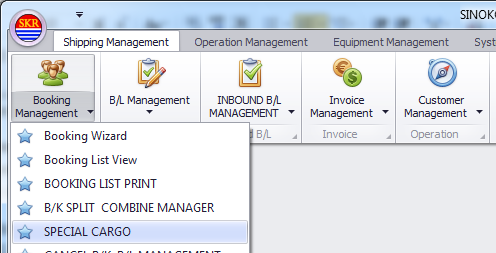
Shipping Management --> Booking Management --> SPECIAL CARGO
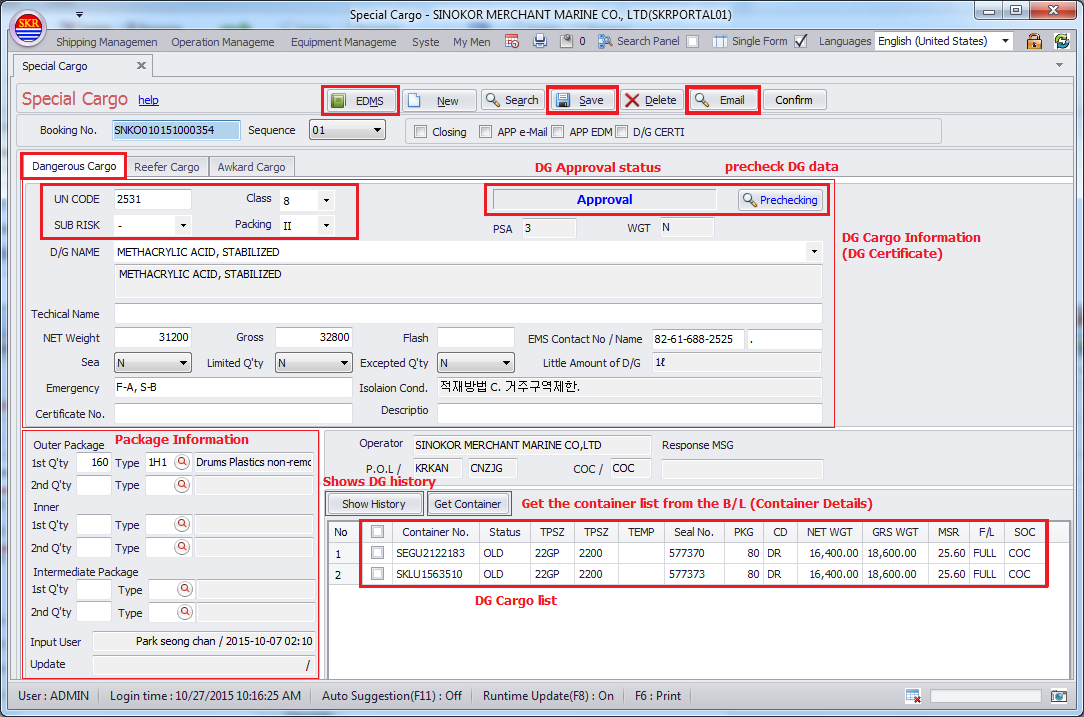
D/G cargo
Enter the D/G basic information (UN No, Class No, Sub-Risk, Packing Group, D/G Name).
Enter the D/G Detail information (Technical Name, Weight, Flash-Point, Emergency contact information, Packing quantity and type)
Enter the Container information or click [Get Container] button.
Click the [Save] button.
Prechecking (DG) : Click [Prechecking] button in order to check error on DG information.
Container Details : Should input containers on B/L input menu first in order to input special container details.
If you don't input container details on Special Container input screen, all details won't be printed on Special List and may cause problem.
DG cargo history

How to get D/G approval
Sinokor’s own vessel
In general, it would be approved automatically. (Passing the Pre-checking is necessary)
Total Containers = 1~9 : If you request D/G application, it will be approved automatically by the DG rule of SINOKOR.
Total Containers = 10~ : If the total container quantity exceed 9, it should be approved by D/G center of Sinokor (Operation team of Headquarters).
Other liner’s vessel
It cannot be approved automatically.
You should send e-Mail to vessel operating liner to get the approval of loading D/G cargo.
(Click the [Email] button, then recipients and contents are settled automatically.)
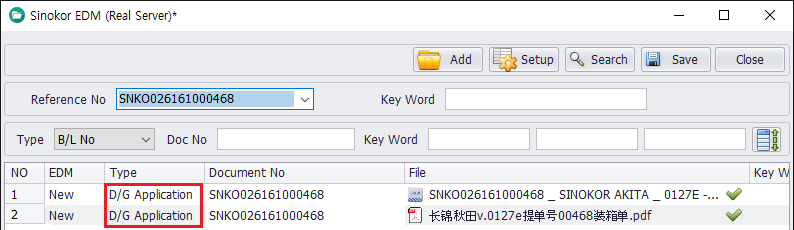
If you receive approval e-Mail, you should save this e-Mail as a file and then upload it into EDMS at portal system. Then it will be changed to approval.
(Caution. When upload into EDMS, you should select the type as [D/G Application])
Getting DG Approval of Transhipment case
Basically, POL side should get the DG approval from the operating liner of 1st/2nd VSL before loading.
1st VSL : Get the DG Approval from the operating liner - request DG Application (input DG details at portal system or upload the Doc evidence of DG Approval to EDMS)
2nd VSL : Get the DG Approval from the operating liner - email approval.
R/F cargo
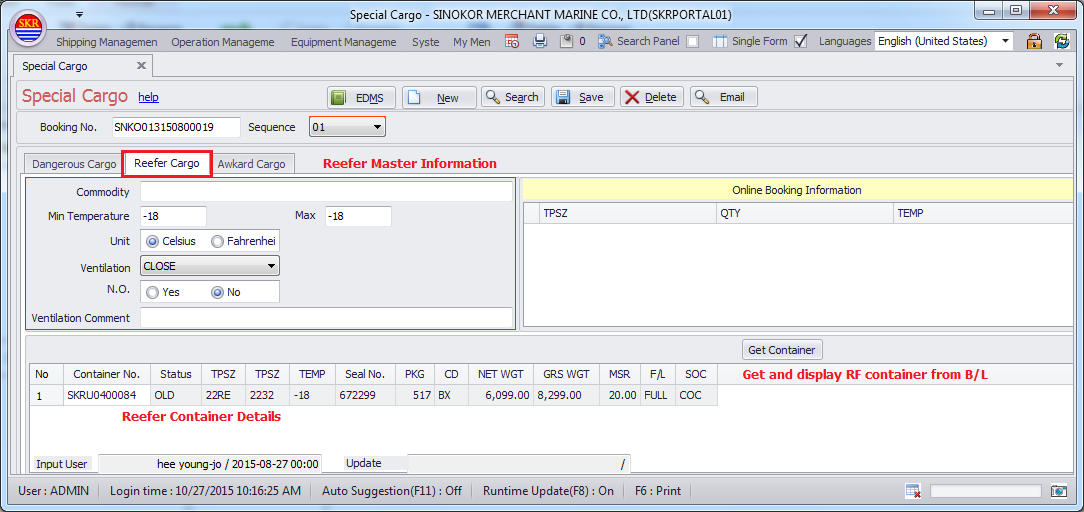
Enter the R/F information (Temperature, Ventilation, N.O.R)
* Min temperature, Max Temperature, TEMP - do not input Temperature Unit such as C(celsius), F(fahrenheit).
Just input +/- and number only.
Enter the Container information.
Click the [Save] button.
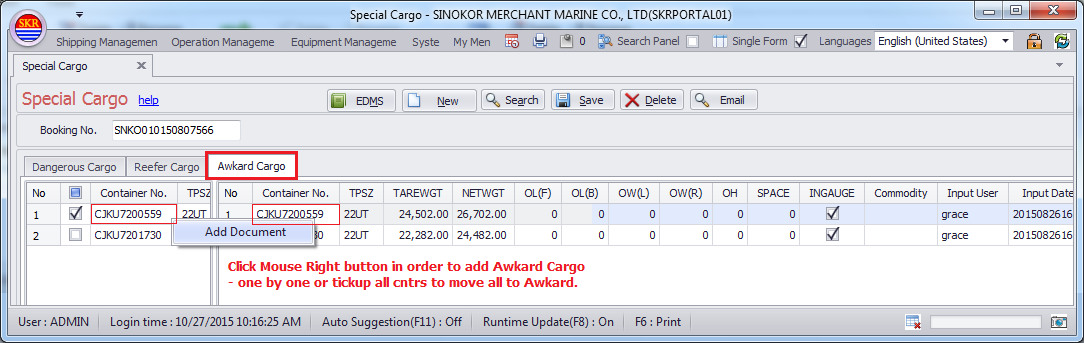
AWK cargo
Check the container to input details, right-click on mouse and click the [Add document].
Enter the AWK information (Length, Width, Height, Ingauge)
unit = Centimeter.
Click the [Save] button.
-end-