B/L LIST VIEW


SHMBLBLLIST
B/L LIST VIEW
Features
This menu provides three view types - B/L, CONTAINER and MANIFEST.
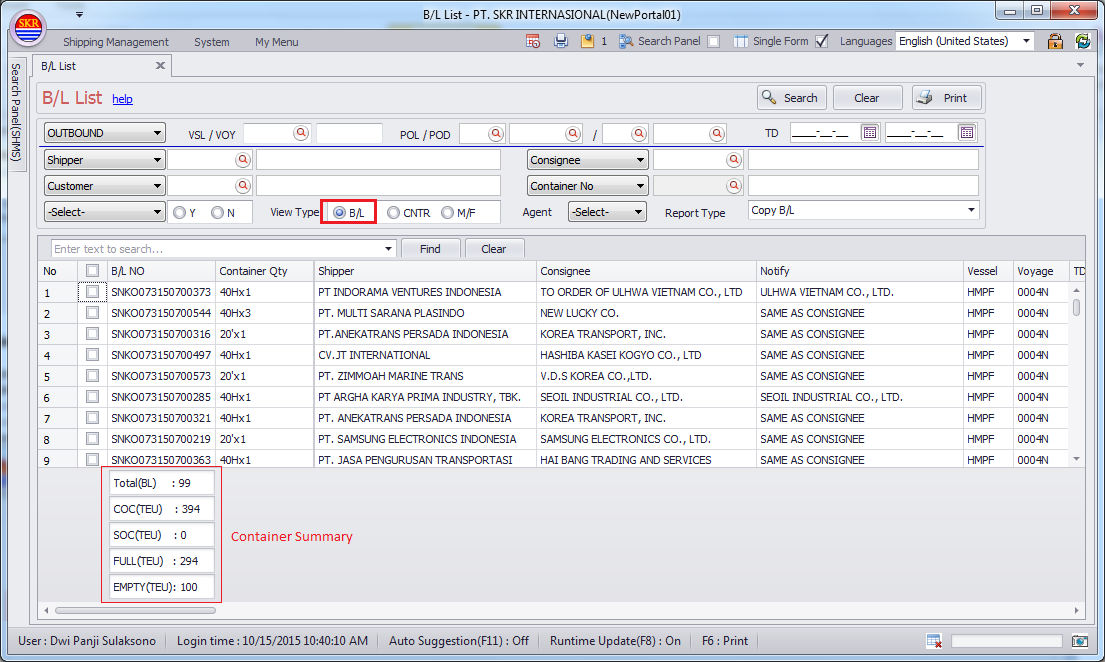
B/L – Check B/L Data Status and Printing
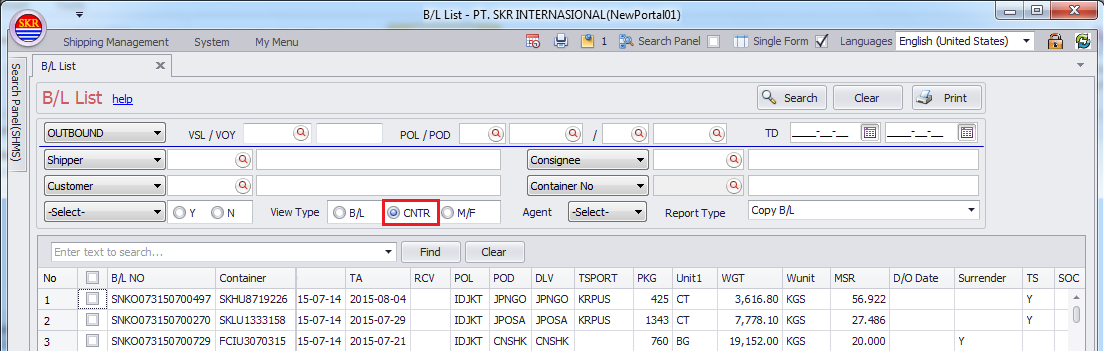
CNTR – Check Container List
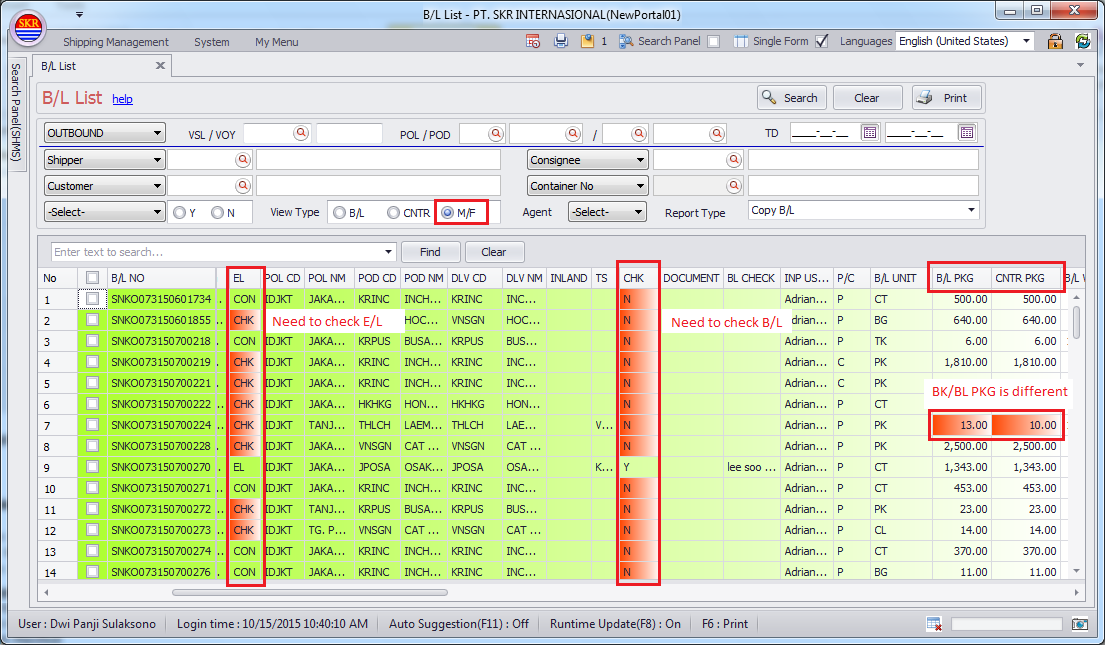
M/F – Check Shipping Progress, Check manifest data where it's including wrong data or not.
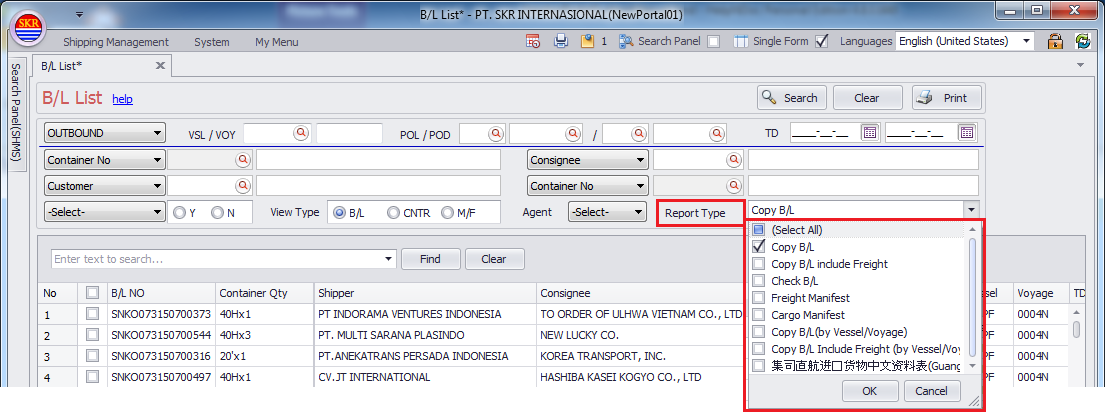
Print Options (combo box)
Item |
Comment |
Printing Vessel/Voyage |
|
(Select All) |
select all printing options |
- |
|
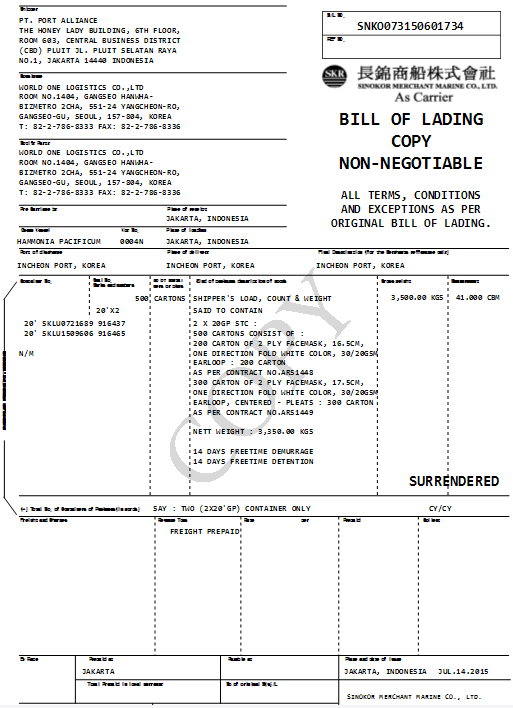
Copy B/L |
print copy B/L of selected B/L |
First Vessel |
|
Copy B/L including Freight |
print copy B/L including freight of selected B/L |
First Vessel |
|
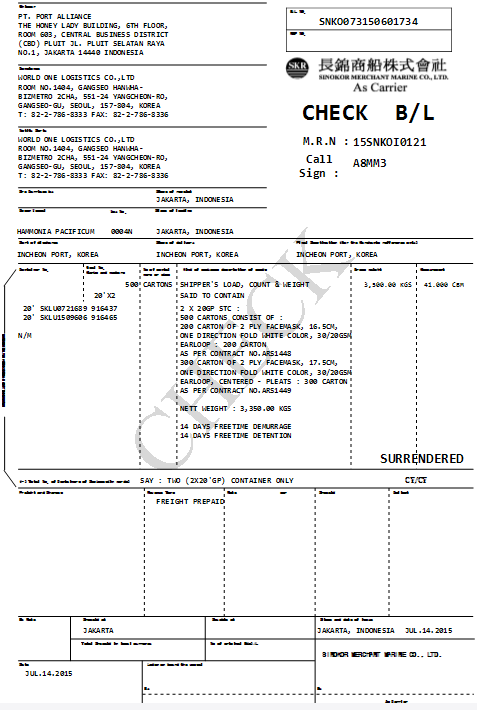
Check B/L |
print check B/L of selected B/L |
First Vessel |
|
Freight Manifest |
print freight manifest of selected B/L |
First Vessel |
|
Cargo Manifest |
print cargo manifest of selected B/L |
First Vessel |
|
Copy B/L by vessel/voyage |
print copy B/L by vessel/voyage/POL/POD |
Actual Vessel = Last Vessel |
|
Copy B/L including Freight by vessel/voyage |
print copy B/L inclusing freight by vessel/voyage/POL/POD |
Actual Vessel = Last Vessel |
|
集司直航 |
Empty pickup order (CNTSN-Tianjin only) |
- |
Menu
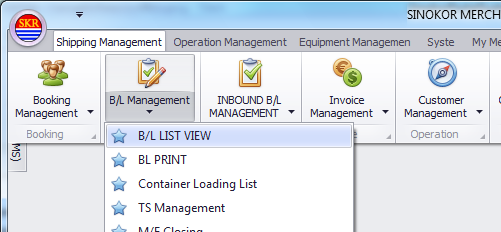
Menu location : Shipping Management --> B/L Management --> B/L LIST VIEW
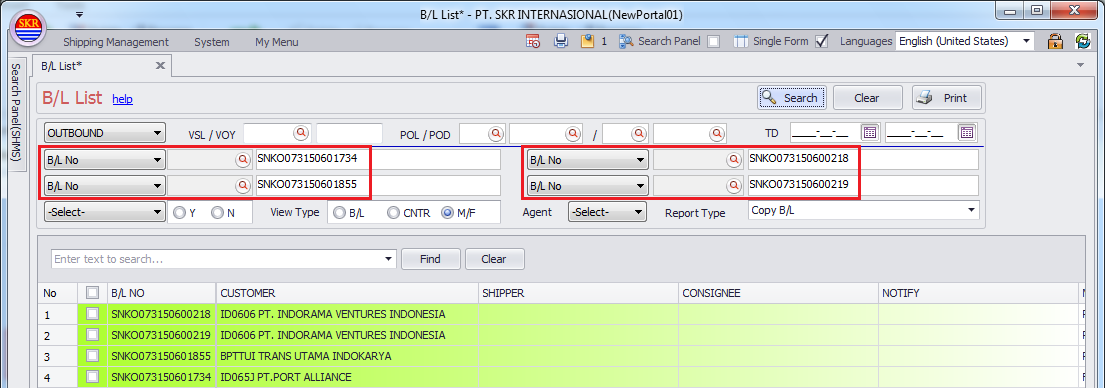
Searching Condition
You can choose one of INBOUND and OUTBOUND.
Mandatory : Bound, Vessel, Voyage, Port or Bound/ETD
If you choose 'Container No' and click [Search] button, Grid View Type is changed to "CNTR" automatically.
If you choose 'B/L No' or 'Container No' as searching condition, you don't need to fill out mandatory fields.
You can enter maximum 4 B/L(s) No and Container No. as searching condition.
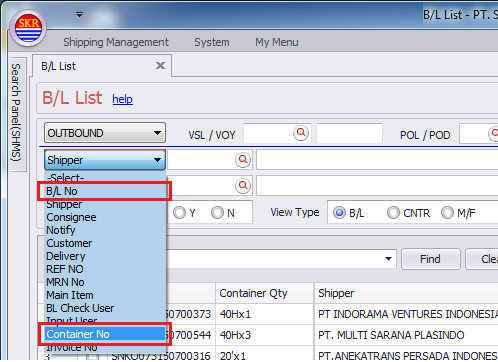
Searching Condition 1
Mandatory : Bound, Vessel, Voyage, Port or Bound/ETD
If you choose 'Container No' and click [Search] button, Grid View Type is changed to "CNTR" automatically.
If you choose 'B/L No' or 'Container No' as searching condition, you don't need to fill out mandatory fields.
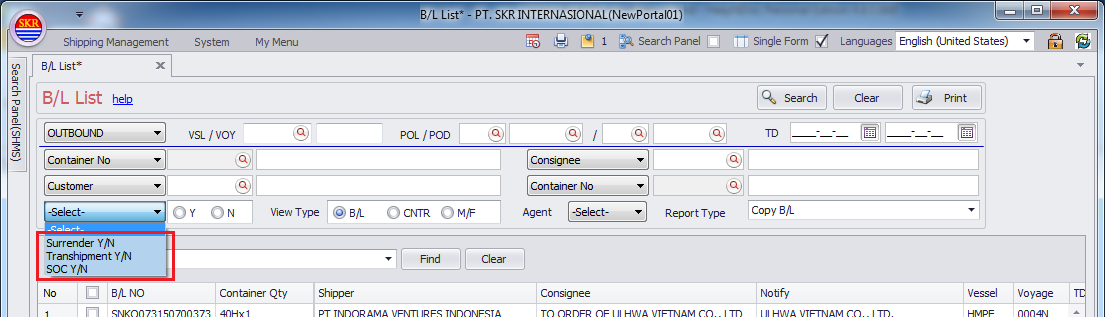
Searching Condition 2
Surrender Y/N
Transhipment Y/N
SOC Y/N
B/L LIST VIEW - B/L
B/L LIST VIEW - CNTR
You can search Container Details.
B/L LIST VIEW - M/F
You can search M/F Details.
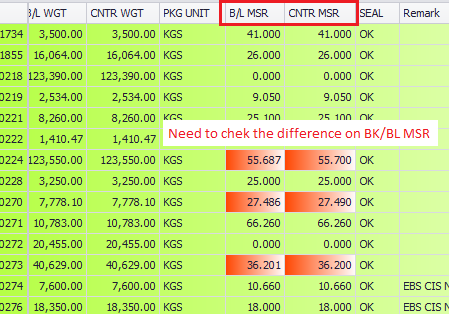
In this search options, you can see different Colors on the cells on Grid.
Grid Colors
White (row) : No Errors found.
Green (row) : B/L list which contains wrong data
Red (cell) : Wrong data or including mismatching data among BK, BL and BL details.
You should check and amend B/L data if you see Greeen or Red on the Grid.
Print type
Copy B/L
Copy B/L including Freight
Check B/L
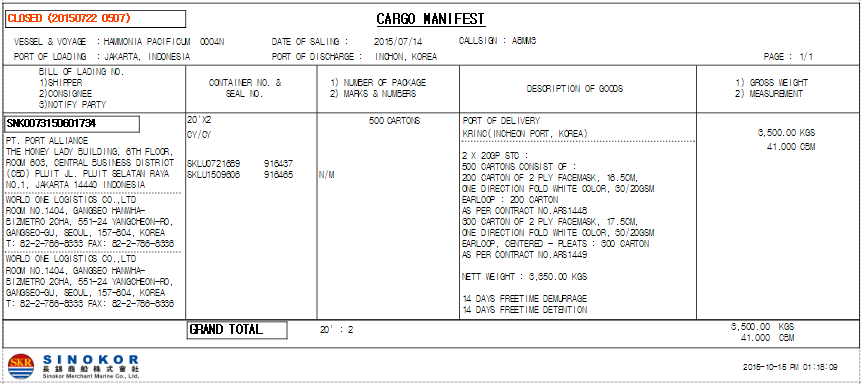
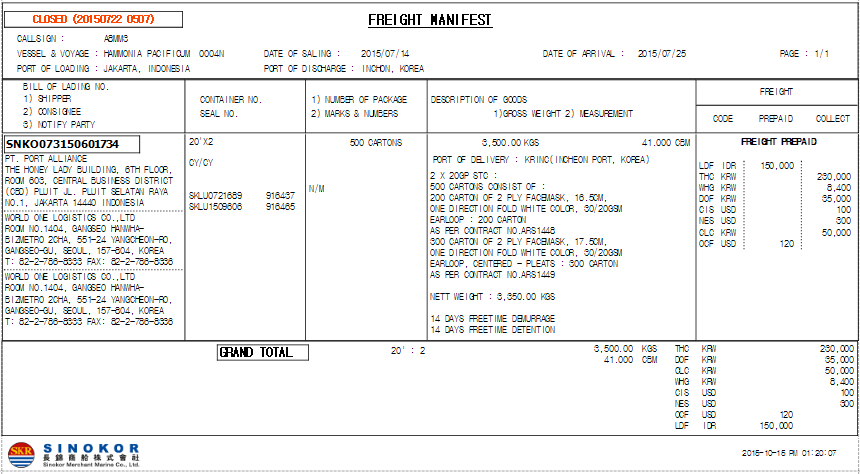
Freight Manifest
Cargo Manifest
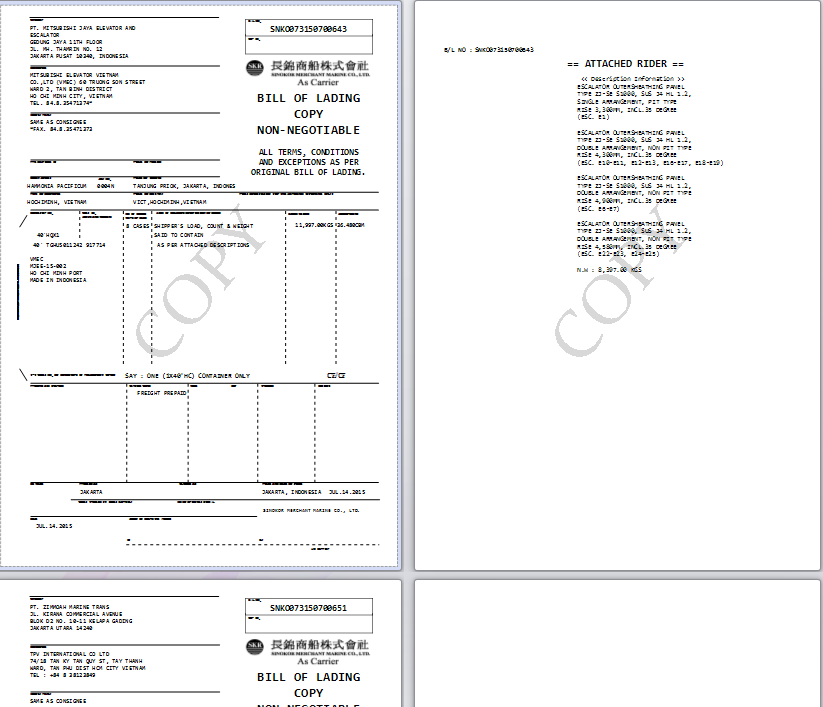
Copy B/L (by Vessel/Voyage)
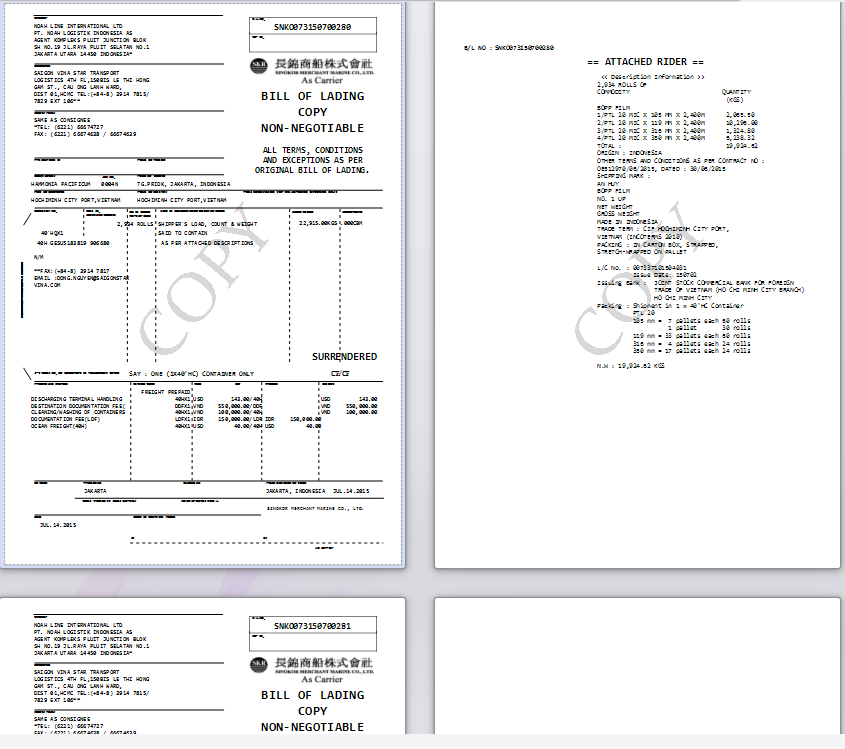
Copy B/L inluding Freight (by Vessel/Voyage)
 - for Guangzhou office only. provides copy B/L and this form to the customer.
[COPY BL]
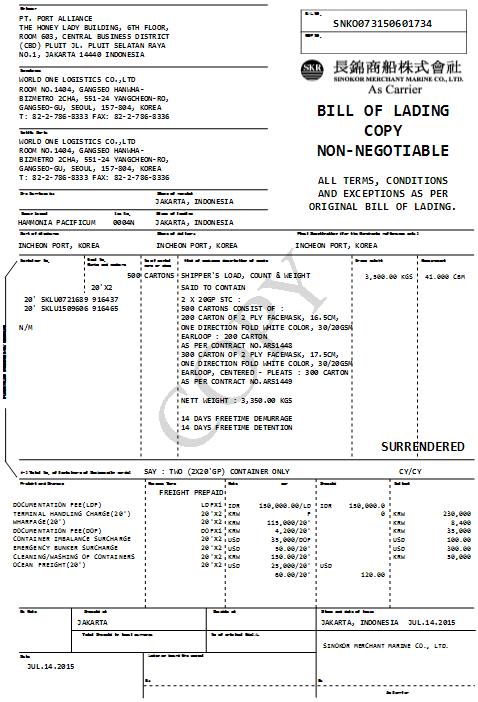
[CHECK B/L]
[Cgo M/F]
[Frt M/F]
[Copy B/L by VSL/VYG]
[Copy B/L including Freight by VSL/VYG]
-end-