T/S Management


SHMBLTSMGT
T/S Management
Features
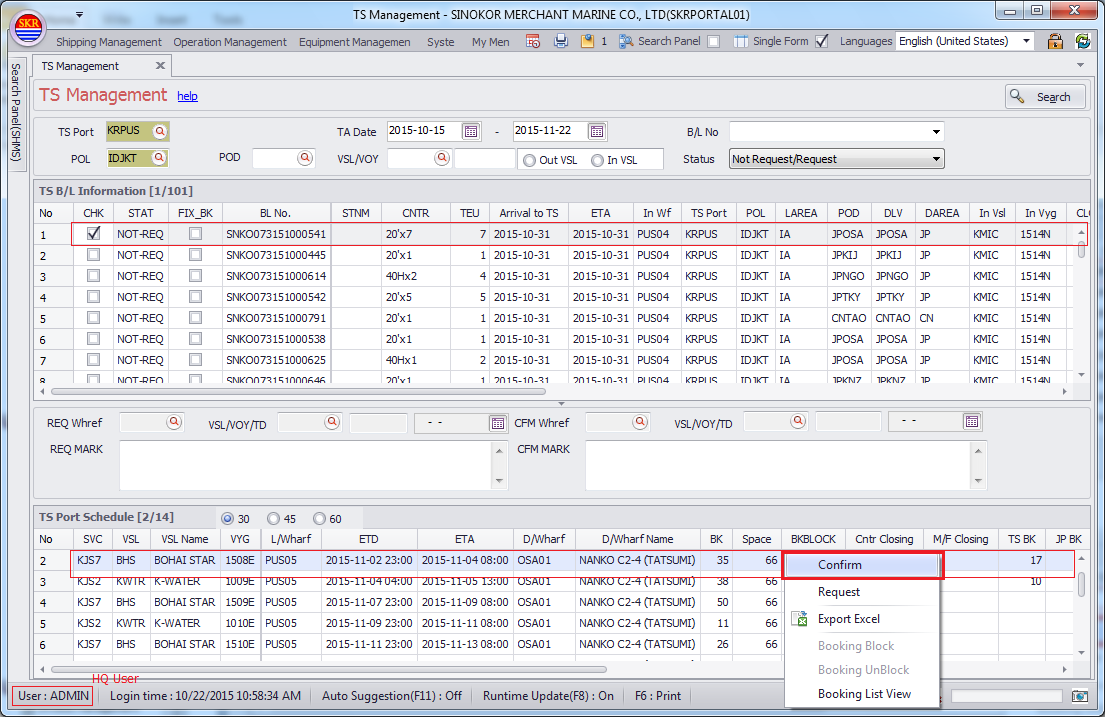
P.I.C at POL requests 2nd Vessel/Voyage to T/S port or SINOKOR HQ.
If cargo is transhipped at your Port, you have authority to confirm 2nd Vessl.
Menu
Shipping Management --> B/L Management --> T/S Management
Menu screen
Requesting T/S

Grid Columns (TS B/L Information)
Item |
Comment |
Type |
|
CHK |
|||
STAT |
REQ CFM REQ-CFM REJ |
||
FIX BK |
|||
BL No. |
|||
STNM |
|||
CNTR |
|||
TEU |
|||
Arrival to TS |
|||
ETA |
|||
Diff |
"light green" |
||
In Wf |
|||
TS Port |
|||
POL |
|||
LAREA |
|||
POD |
|||
DLV |
|||
DAREA |
|||
In Vsl |
|||
In Vyg |
|||
CLO |
|||
Out Vsl |
"light brown" |
||
Out Vyg |
|||
Out Wf |
"light brown" |
||
ETD |
|||
DG |
|||
CNTR CLOSING |
|||
RF |
|||
AWK |
|||
Cargo |
|||
WGT |
|||
TARE WGT |
|||
Next Port |
|||
Next Wf |
Grid Columns (TS Port Schedule)
Item |
Comment |
Type |
|
SVC |
service code |
||
VSL |
Vessel code "red" |
||
VSL Name |
Vessel name "red" |
||
VYG |
Voyage "red" |
||
L/Wharf |
POL wharf |
||
ETD |
|||
ETA |
|||
D/Wharf |
POD wharf |
||
D/Wharf Name |
|||
BK |
BK teu |
||
Space |
Total Space |
||
BK BLOCK |
Y/(blank) "violet" |
||
Cntr Closing |
Y/(blank) "dark orange" |
||
M/F Closing |
Y/(blank) |
||
TS BK |
total TEU of TS Booking |
||
JP BK |
|||
POLWENM |
|||
PODWENM |
|||
EMP_NM |
|||
AFR Send |
Y/N |
T/S Approval
* If POL side doesn't close manifest, even though the P.I.C at T/S port confirm connecting vessel, it is not be applied to B/L Management immediately.
* If the PIC at 1st TS PORT side doesn't close manifest, even though the P.I.C at 2nd T/S port confirm connecting vessel, it is not be applied to B/L Management immediately.
It will be applied to B/L Management only after PREVIOUS M/F is CLOSED at Previous Port.
(Actual Vessel/Voyage and POD Wharf will be changed accordingly only after prev vessel is closed at prev port.)
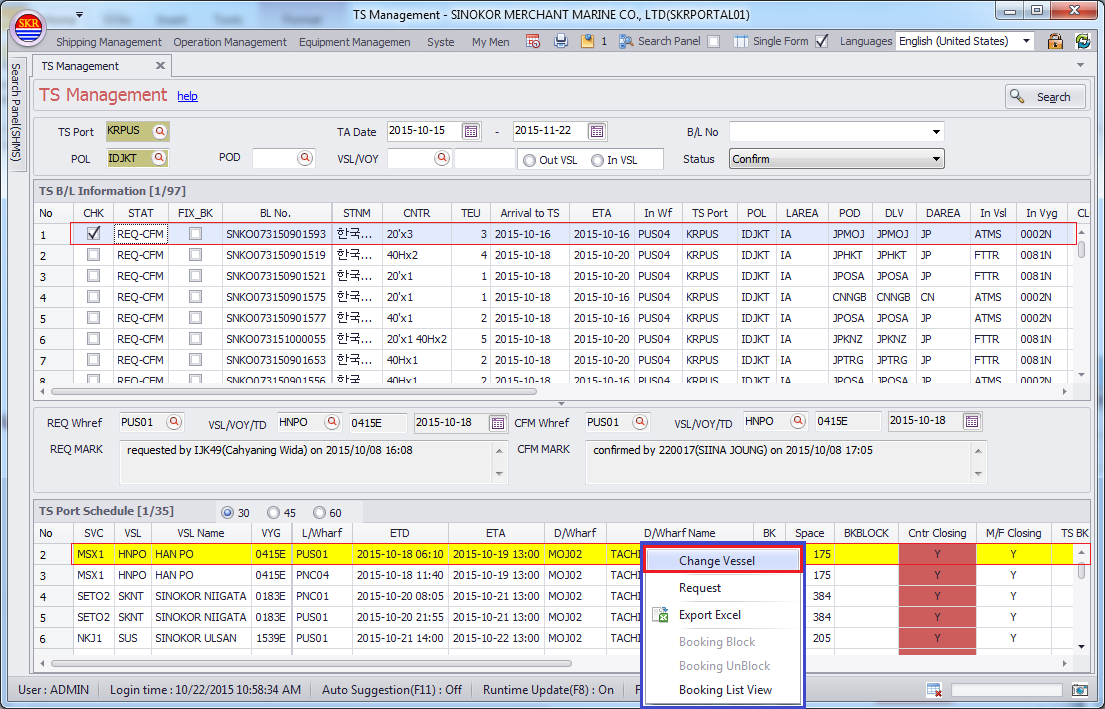
Changing Vessel
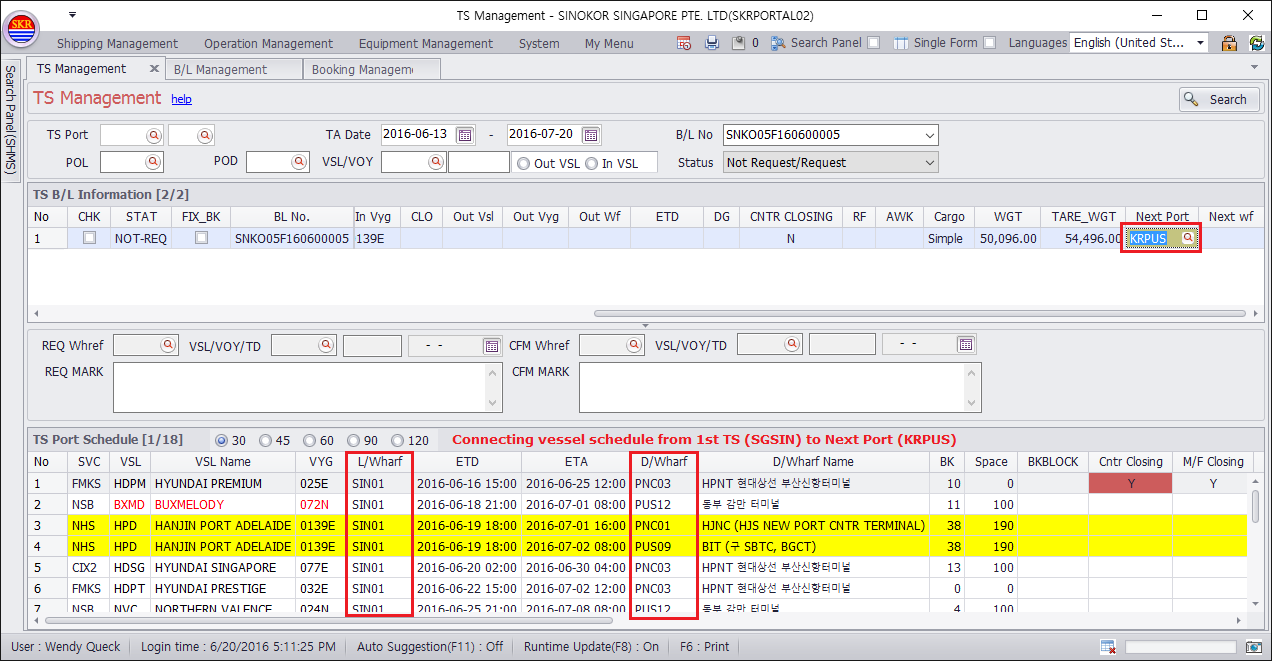
* 2 times transhipment - How to search connecting vessel schedule at 1st T/S port.
Example)
POL |
TS1 |
TS2 |
POD |
|
KHSIH |
SGSIN |
KRPUS |
RUVFP |
If cargo transhipped two times, T/S PORT side cannot choose connecting vessel schedule.
In this case, PIC at 1st T/S PORT need to change Next Port to Next Calling Port("KRPUS") instead of POD ("RUVFP").
Then, connecting vessel schedule from TS1 to TS2 will be shown.
Choose connecting vessel/voyage and then confirm.

* Connecting vessel schedule from 1st TS port to 2nd TS port (ex, SGSIN to KRPUS in KHSIH - SGSIN - KRPUS - RUVFP)
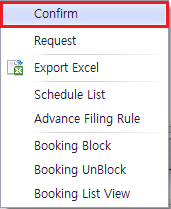
In TS Port Schedule data grid, choose vessel schedule and then "Confirm".
-end-