C/A Confirmation


SHMCACFMMGT
C/A Confirmation
Features
Search C/A request by B/L or by Searh Panel result, and then confirm/reject C/A request.
You can search and confirm/reject requested C/A data.
You can check Freight Details before confirmation/rejection by dbl-clicking C/A data.
Menu
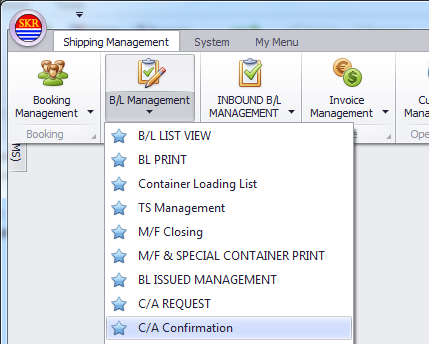
Menu location : Shipping Management --> B/L Management --> C/A Confirmation
[Confirm]
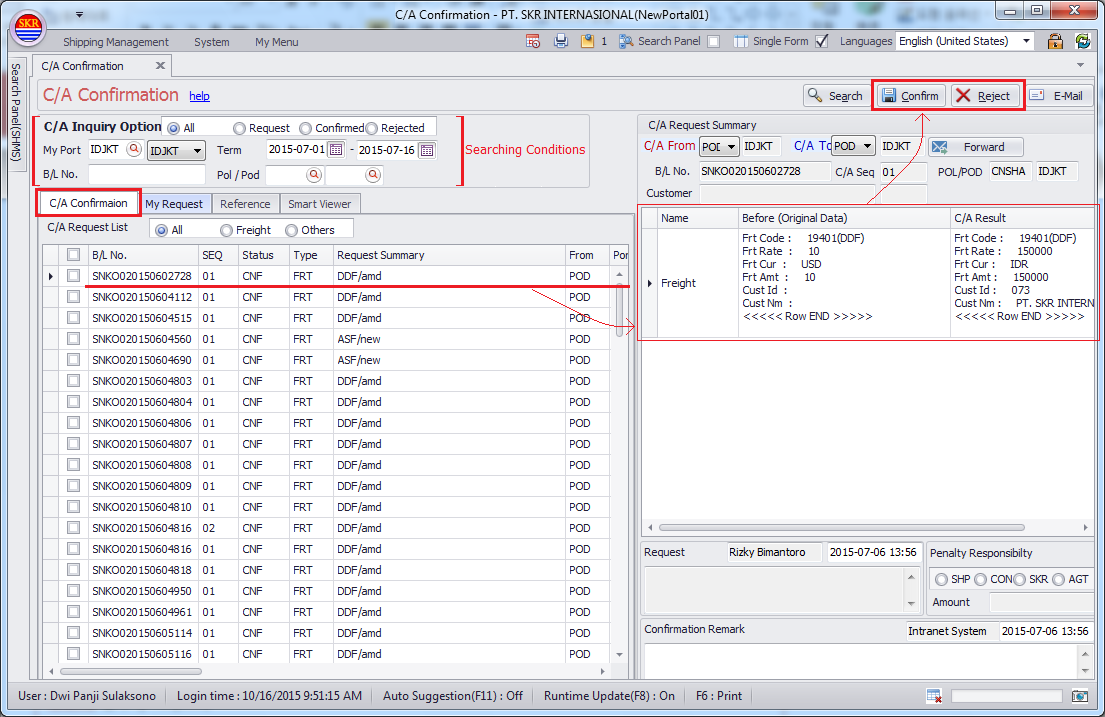
confirm request C/A.
[Reject]
reject requested C/A.
[E-mail]
send C/A email of Requesting/Confirmation/Rejection to related p.i.c or agency.
[Forward]
For overseas business team at HQ only.
Forward approval authority for the C/A request to the other agency.
C/A Confirm tab
You can find the C/A Request at C/A Confirm tab. Check C/A Request and then Confirm/Reject C/A.
My Request tab
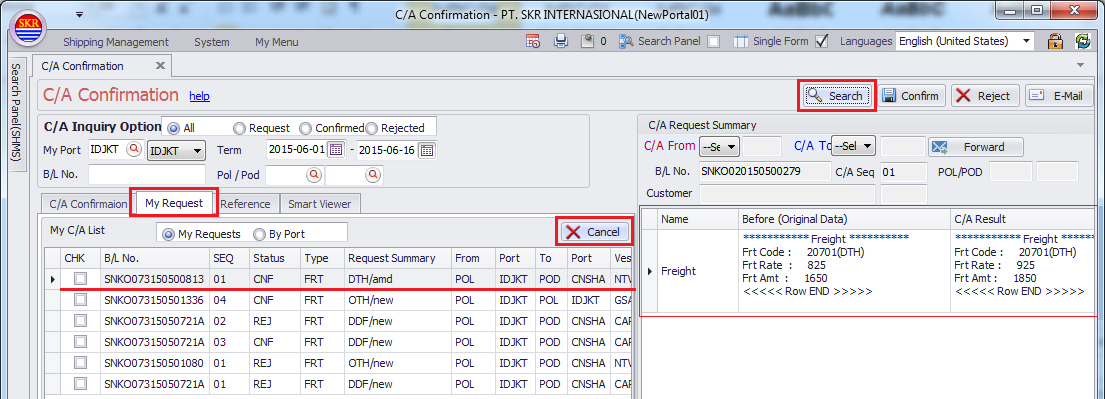
You can check your C/A Request or your colleague's C/A Request.
You can withdraw your C/A request by clicking [Cancel] button.
Reference tab
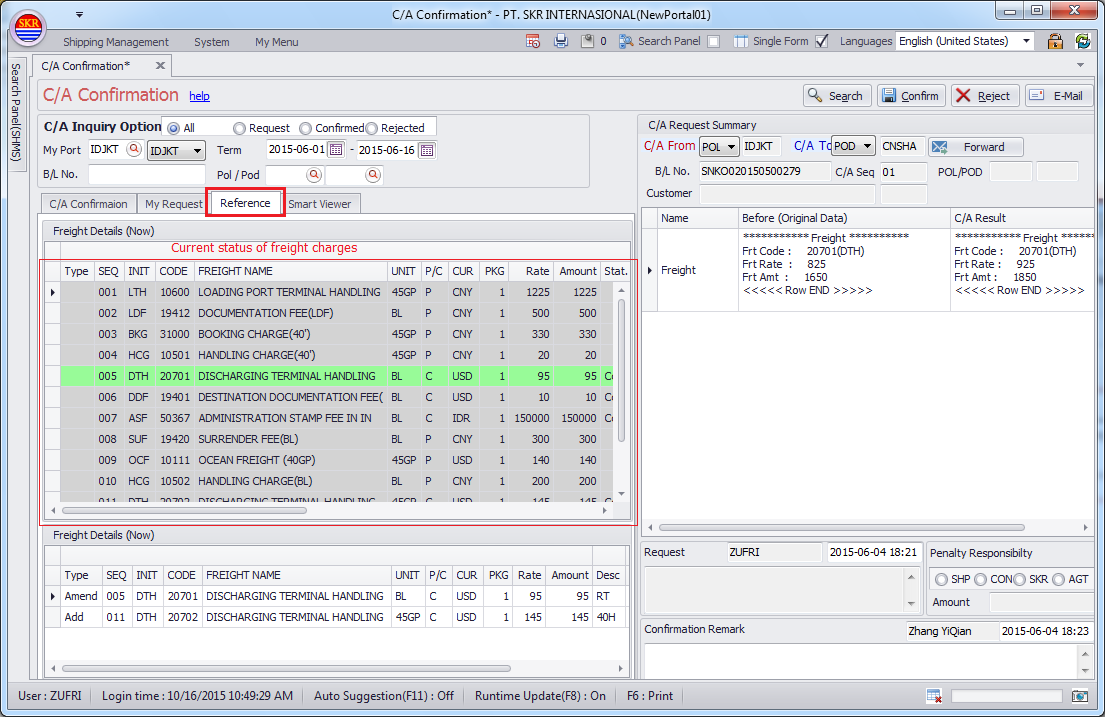
If you dbl-click B/L under C/A Confirmation tab, current freight charges would be shown to Reference tab.
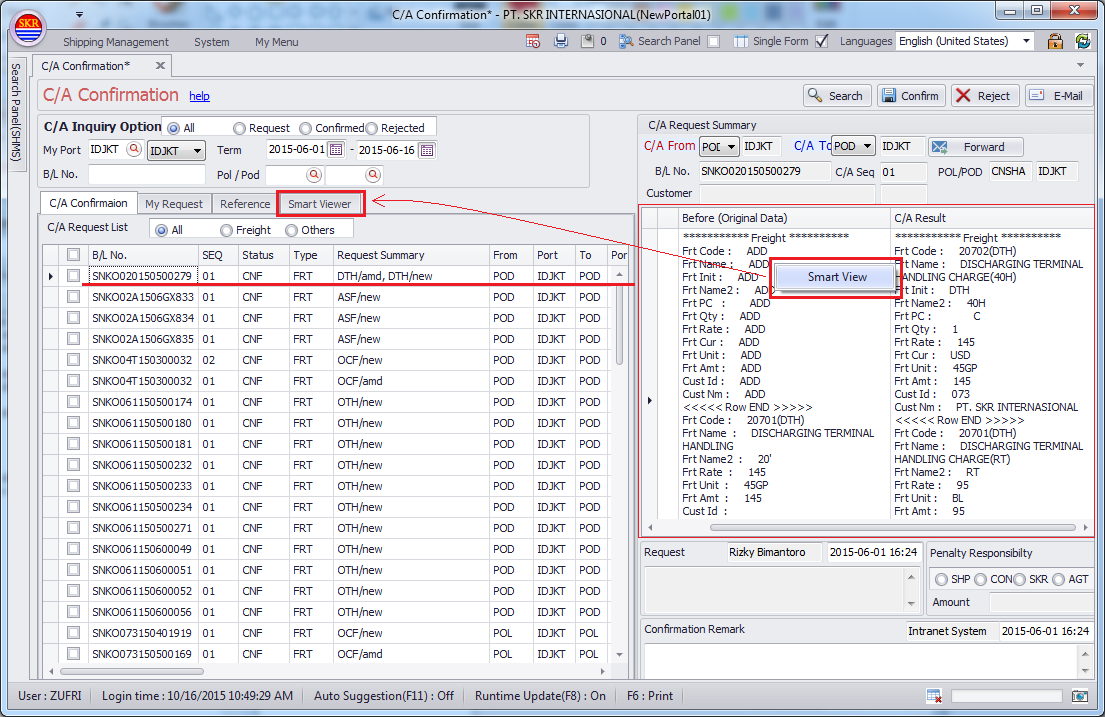
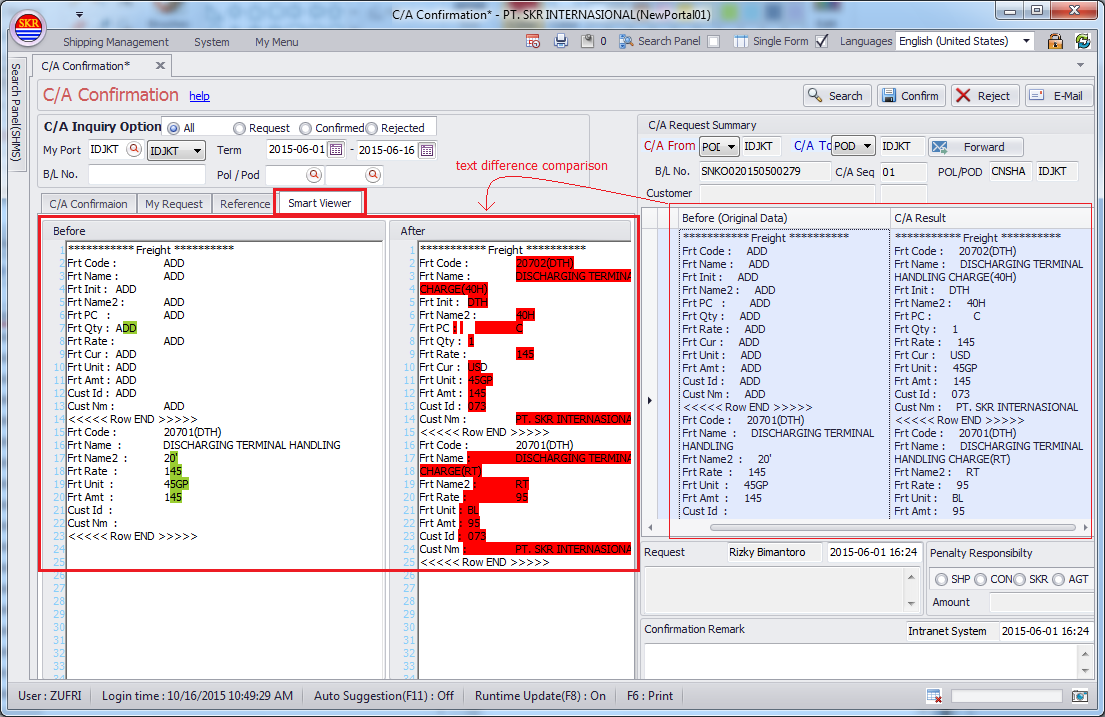
Smart Viewer tab
Smart Viewer displays color if before/after have a difference on C/A request/confirmation.
To see Smart Viewer, choose B/L and click 'Before/After' text area or right click on the mosue and 'Smart Viewer' pop-up menu.
-end-