Feeder Vessesl Schedule


SHMOPFEEDERMGT
Feeder Vessel Schedule Registration
Features
In case of M/V, Liner Operation Team/HQ will register vessel schedule.
However, SOC/feeder vessel in your area, you should register feeder vessel schdeule at your side according to HQ's order.
How to register Feeder Vessel Schedule
• 1st step - Create contract number.
• 2nd step - Enter freight rate.
• 3rd step - Enter Feeder Vessel Schedule.
Contact point of Feeder Vessel Schedule reg.
Dept : SINOKOR HQ -> OPERATION HQ -> BUSINESS CONTROL TEAM (BCT)
• Feeder Operation Code (Feeder Contract) : BUSINESS CONTROL TEAM (BCT) / Tel : +82-2-6496-7233 / bct@sinokor.co.kr
• Feeder Service Route reg : Mr.JunYoung Ko / BUSINESS CONTROL TEAM (BCT) / Tel : +82-2-6496-7231 / ko7541@sinokor.co.kr
• Feeder Service Schedule reg : PIC at sales dept at each office.
Menu
Menu location : Shipping Management --> Customer Management --> FEEDER SERVICE CONTRACT / SCHEDULE

Menu screen
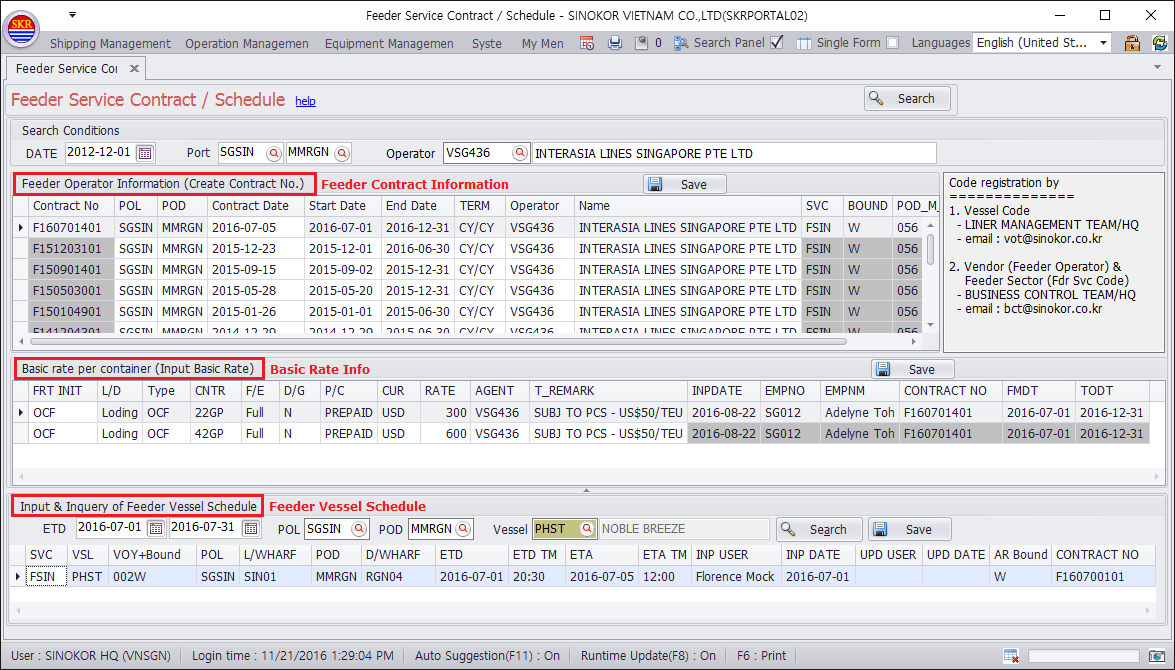
How to inquire Feeder Contract
Input DATE, Port and Feeder Operator. And then click [Search] button.
Click feeder contract and then FeederRate will be shown.
Input ETD, POL, POD and Vessel and then click [Search] button.
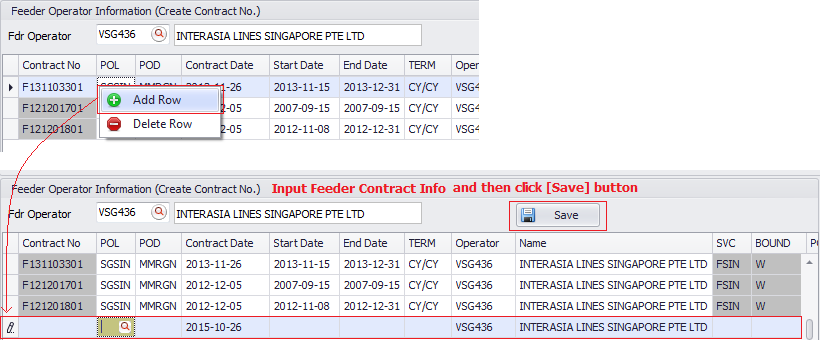
How to input Feeder Contract
Click Mouse Right button and choose [Add Row] on pop-up menu.
Enter Feeder contract information into each cell on the grid.
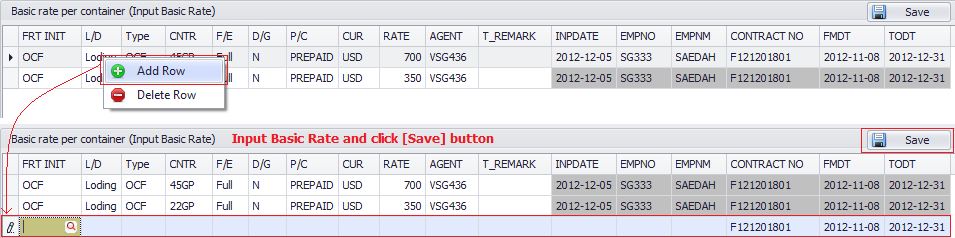
How to input Feeder Rate
Add Row and then enter Feeder Rate into each cell on the grid.
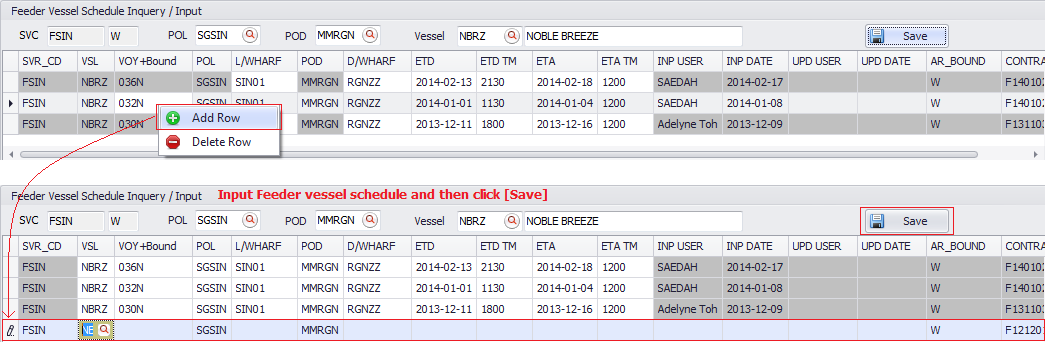
How to input Feeder Vessel Schedule
Add Row and then input Feeder Vessel Schedule into each cell on the grid.
-end-